
Home Networking / Network Security / 7 min read
UniFi VLAN Planning for Guest, IoT, and Camera Networks at Home
VLANs keep guest, IoT, camera, and family traffic on separate logical networks through one UniFi system, so a smart bulb or a guest phone does not share a path with your cameras.
Short answer
VLANs let a homeowner keep guest, IoT, camera, and family traffic on separate logical networks through one UniFi system, so a smart bulb or a guest phone does not share the same network path as cameras and personal devices.
01
Segmenting guest, IoT, and camera traffic limits what each device can reach on your network.
02
UniFi manages VLANs as named networks from one interface, so segmentation does not mean juggling multiple routers.
03
A clean VLAN plan improves both privacy and support, because problems stay contained to one network.
Network Segmentation
One system, separate networks
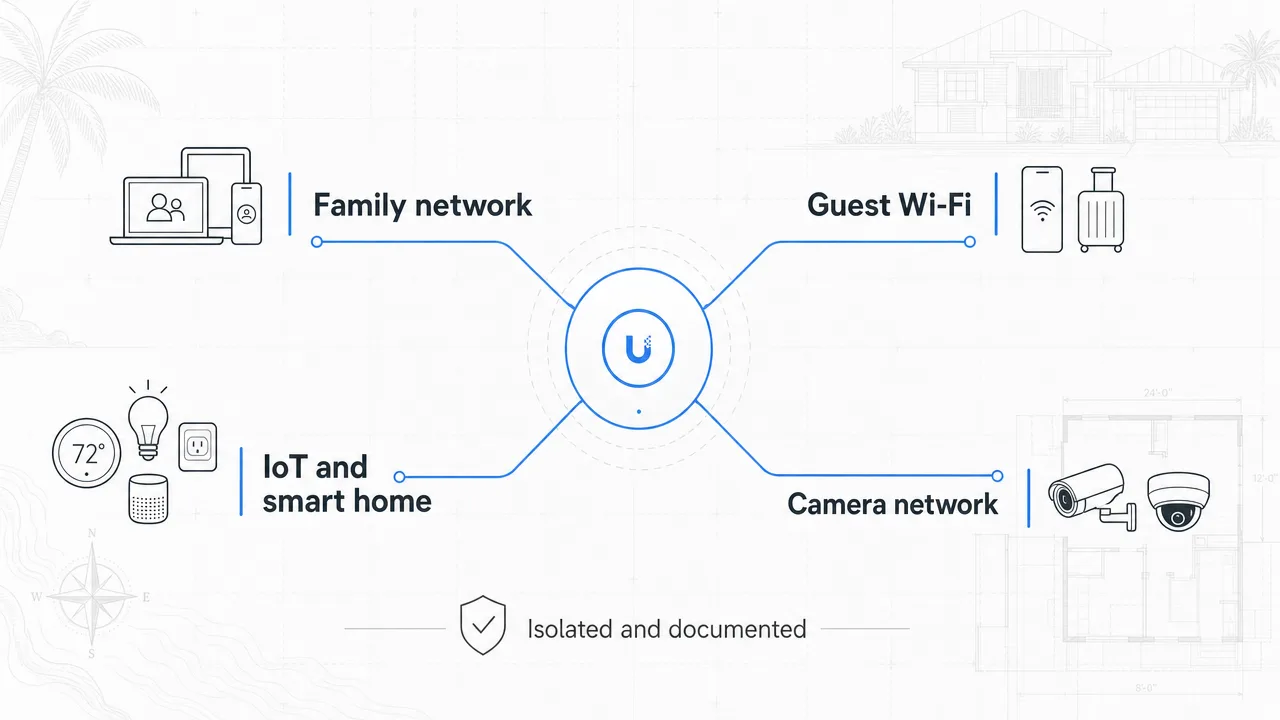
UniFi runs guest, IoT, camera, and family networks on the same hardware, keeping each class of device where it belongs.
- Family network
- Guest Wi-Fi
- IoT and smart home
- Camera network
- Isolated and documented
Segmentation
One system, several logical networks
A UniFi system can run several networks on the same switches and access points. That means a guest, an IoT device, and a camera do not have to share the same network path as your personal phones and laptops.
Segmentation keeps each class of device where it belongs. A compromised smart bulb has a much harder time reaching your cameras when they live on a different network.
Guest, IoT, and cameras are the usual splits
A practical starting point separates guest Wi-Fi, IoT and smart-home devices, and cameras from the main family network. Guests get internet without access to your private devices; IoT devices get internet without access to your cameras.
The exact split depends on the home, but the principle is the same: put devices that you trust less on networks that can reach less.
Segmentation also makes support easier
When a device has a problem, a segmented network helps isolate it. If cameras are on their own network, a camera issue is easier to trace without it tangled into guest or IoT traffic.
Good segmentation is part of the documentation a homeowner should receive, so a future support call starts with a clear map of what lives where.
FAQ
Common homeowner questions.
Do VLANs require multiple routers?
No. UniFi manages VLANs as named networks from one interface on the same switches and access points.
Should IoT devices be on the same network as cameras?
Usually not. Keeping IoT, cameras, and family traffic on separate networks limits what each device can reach.
Does segmentation slow down my Wi-Fi?
No. Segmentation is logical, not a speed limit. The same access points carry all networks.
Tech Techr LLC
Need a floor-plan review before hardware is purchased?
Tech Techr designs, configures, documents, supports, and coordinates UniFi Wi-Fi and camera technology packages for homes across Freeport, Hammock Bay, and the Emerald Coast.
Schedule a home network consult