
Design Lab / Home Networking / Wi-Fi Planning / 5 min read
Try the Tech Techr Design Lab for Home Wi-Fi and Camera Planning
The Design Lab lets you sketch a home network plan from a floor plan before hardware gets purchased or cable paths are discussed.
Short answer
The Tech Techr Design Lab is a browser-based planning studio where homeowners and Tech Techr can map access points, cameras, drops, walls, and cable paths from a floor plan, export the design, and save it with an account.
01
You can start a design before signing in and save it later with a Tech Techr account.
02
The planner helps turn a floor plan into a practical Wi-Fi, camera, and wiring conversation.
03
JSON import and export make it easy to move a design between local drafting and hosted saved projects.
Design Studio
From floor plan to practical network plan
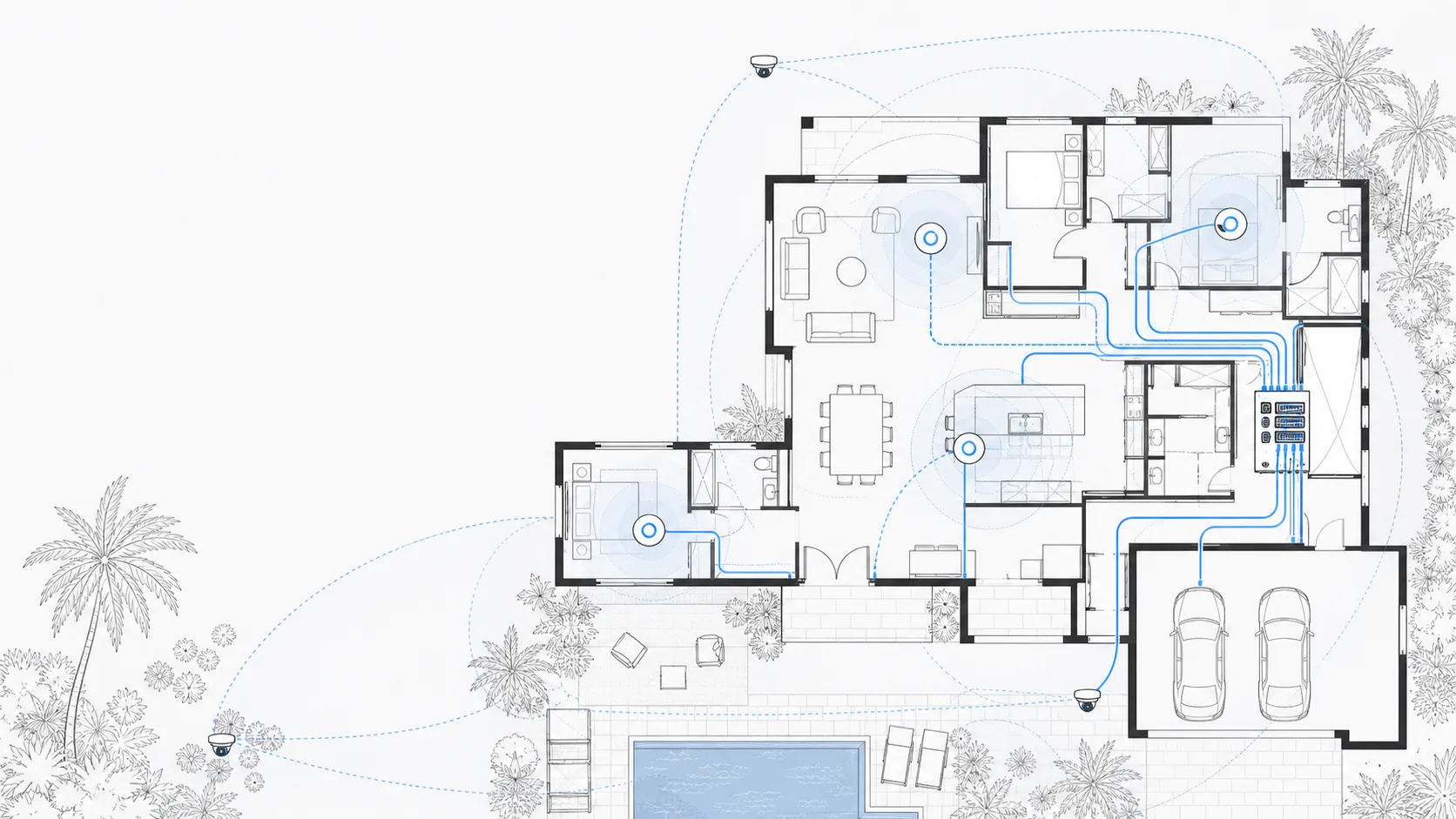
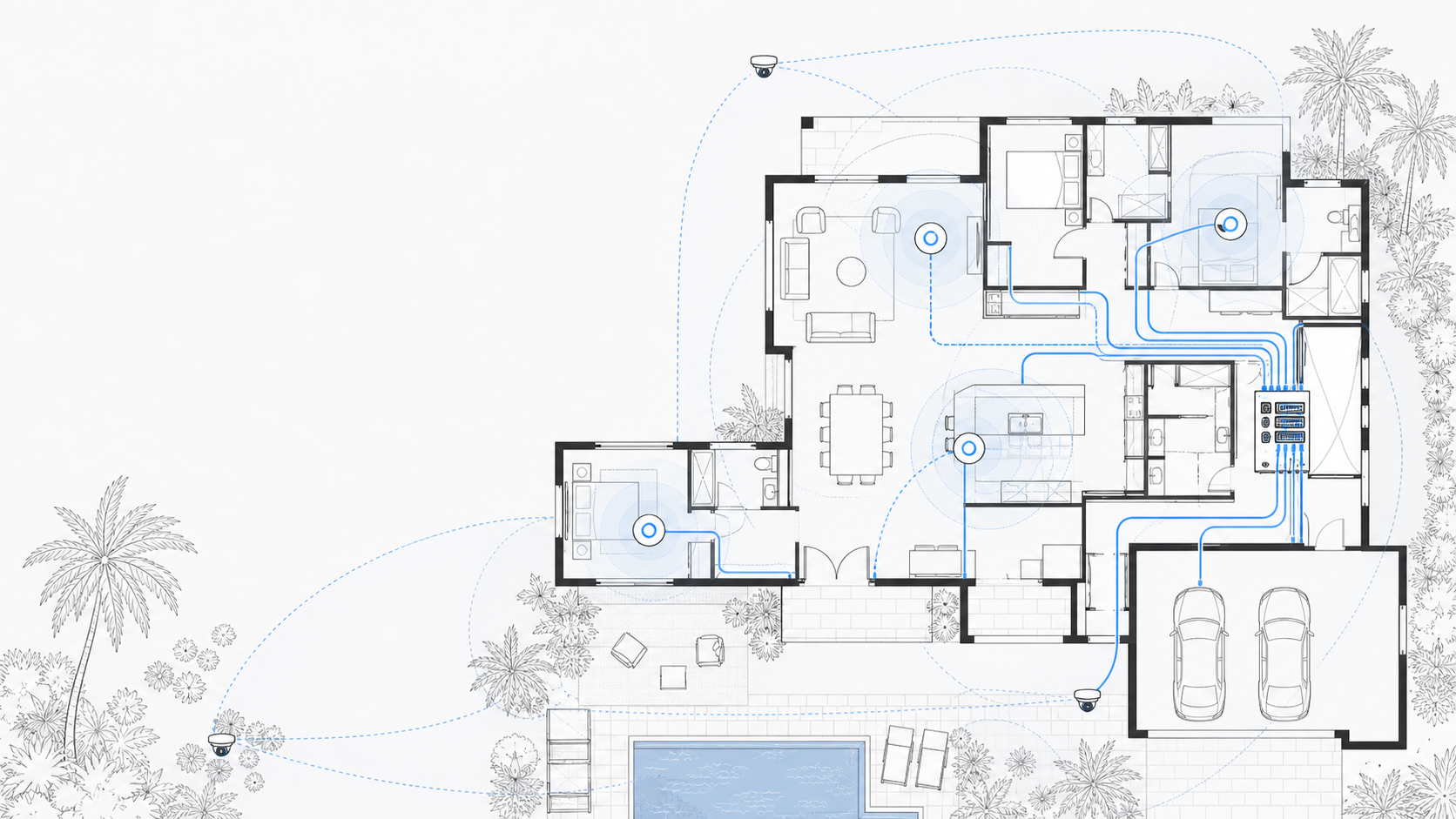
The Design Lab starts with a floor plan, then layers access points, camera sightlines, walls, drops, and cable paths into one editable plan.
- Upload floor plan
- Mark APs
- Map cameras
- Draw cable paths
- Save or export
Start Visually
A home network plan is easier to discuss when everyone can see it
Wi-Fi and camera planning can get abstract quickly. The Design Lab turns that conversation into a visible floor-plan sketch: where access points might go, what cameras can see, where walls may weaken signal, and how network drops or cable paths support the design.
It is meant for early planning, customer meetings, and follow-up edits before the final bill of materials and installation coordination are locked in.
You can start before creating an account
Visitors can open the Design Lab and begin a local draft right away. Upload a plan, calibrate scale, place devices, and export JSON without waiting on account setup.
Saving a hosted project requires sign-in so private customer plans stay tied to a Tech Techr account instead of floating around anonymously.
It supports both customer conversations and internal planning
A customer-safe view focuses on the design: coverage, device locations, camera sightlines, and clear summary counts. The internal view keeps deeper planning details available for purchase planning and technical review.
That split helps keep meetings clean while still giving Tech Techr the detail needed to finish the design responsibly.
FAQ
Common homeowner questions.
Do I need to sign in to try the Design Lab?
No. You can start a local design first. Sign-in is required when you want to save the design to your Tech Techr account.
Is the Design Lab a final RF survey?
No. It is an estimated planning tool. Final access point placement and camera views should still be validated against the real home and installation constraints.
Can I import an older design JSON file?
Yes. The Design Lab includes JSON import and export controls so older local drafts can move into the hosted workflow.
Tech Techr LLC
Need a floor-plan review before hardware is purchased?
Tech Techr designs, configures, documents, supports, and coordinates UniFi Wi-Fi and camera technology packages for homes across Freeport, Hammock Bay, and the Emerald Coast.
Schedule a home network consult