
Security Cameras / Local Storage / 7 min read
UniFi Protect Camera Retention: How Long Footage Lasts in a Large Home
How long your cameras keep footage depends on camera count, resolution, motion settings, and drive size, not on a single number. Here is how to set realistic expectations.
Short answer
Camera retention is driven by camera count, resolution, frame rate, continuous versus motion recording, and drive capacity, so the useful answer is an estimate, not a guarantee, and it should be set during the design phase.
01
More cameras, higher resolution, and continuous recording all shorten how long footage is kept.
02
Motion-based recording usually stretches retention well past continuous recording for the same drive.
03
Retention should be estimated before equipment is purchased so the homeowner knows what to expect.
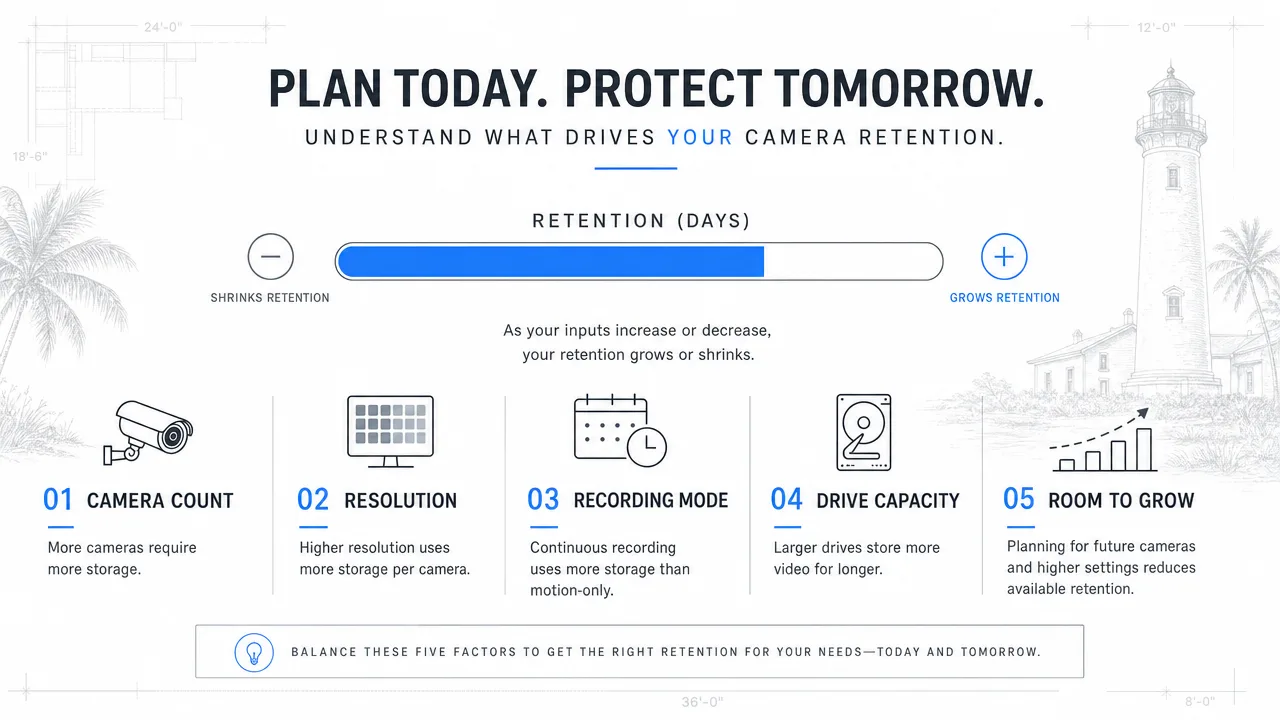
Retention Inputs
What sets how long your footage lasts
Retention is an estimate from camera count, resolution, recording mode, and drive size, not a fixed number. Plan it before you buy.
- Camera count
- Resolution
- Recording mode
- Drive capacity
- Room to grow
Retention Math
There is no single how-long number
A common question is how many days of footage a system keeps. The honest answer is that it depends. A four-camera system recording motion only at 1080p will retain far more than a twelve-camera system recording continuously at 4K on the same drive.
Retention is an estimate built from camera count, resolution, frame rate, recording mode, compression, and storage size. A good plan produces that estimate before the hardware is bought.
Motion recording usually wins on retention
Continuous recording captures everything but fills drives quickly. Motion-based recording stores footage only when something changes, which often extends retention from days into weeks for the same capacity.
Most homeowners do not need continuous recording on every camera. Entries, driveways, and side gates often benefit from motion; a service area or loading zone might justify continuous recording on a single camera.
Plan the drive, then plan to grow
Drives fill up and eventually fail. A retention plan should account for the camera count you have today and the cameras you are likely to add later, a guest house, a gate, a dock camera.
Choosing a recorder with room to grow avoids a full rip-and-replace when a few more cameras are added the next year.
FAQ
Common homeowner questions.
How many days of footage will I keep?
It depends on camera count, resolution, recording mode, and drive size. A design-phase estimate gives a realistic range rather than a guess.
Should I record continuously or on motion?
Motion recording usually gives much longer retention. Continuous recording makes sense for a few high-value cameras, not every camera.
What happens when the drive fills up?
The system overwrites the oldest footage first. Setting the right recording mode and drive size keeps the retention window you actually want.
Tech Techr LLC
Need a floor-plan review before hardware is purchased?
Tech Techr designs, configures, documents, supports, and coordinates UniFi Wi-Fi and camera technology packages for homes across Freeport, Hammock Bay, and the Emerald Coast.
Schedule a home network consult